Hermes is an always-on autonomous agent that lives across messaging platforms. Ambient Desktop is a hands-on, local-first workstation. They share an MCP foundation and a clear docs shape, but optimize for different work. Ambient's shell combines chat, workspace context, navigation, and evidence panels in one local window.
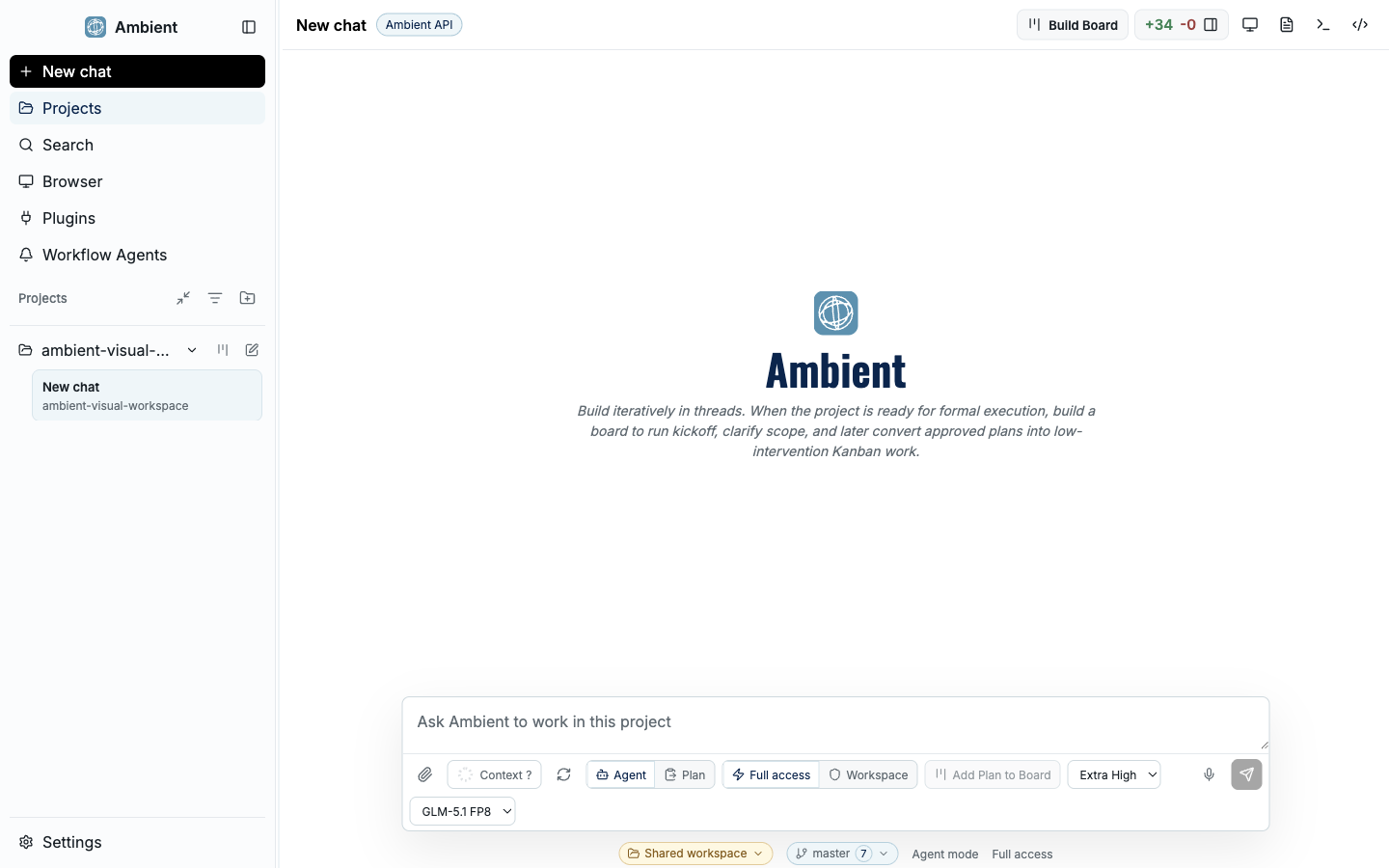
Two different jobs#
Hermes (from Nous Research) is built to be an autonomous agent you talk to across messaging platforms (Nous documents 20+ of them), an assistant that runs continuously and grows more capable over time. Ambient Desktop is built to sit in front of you and do hands-on work on your own machine, where you can open the plan, the diff, and the screenshot behind every result.
Both extend through MCP and both publish machine-readable docs. The difference is the center of gravity: messaging-native autonomy versus an inspectable desktop workstation.
Feature comparison#
| Dimension | Ambient Desktop | Hermes |
|---|---|---|
| Primary surface | Local desktop workstation | Autonomous agent across 20+ messaging platforms |
| Where it runs | Your machine (local-first) | VPS, cloud, or serverless deployment |
| Core use case | Coding, research, and browser work with reviewable proof | Always-on assistant that gets more capable over time |
| Work visibility | Project Board, diagrams, Git review, screenshots | Conversational, with tools and memory |
| Durability | Durable goals and board cards persisted to disk | Persistent agent memory |
| Multiple agents | Symphony parent/child orchestration | Single autonomous agent |
| Capability safety | ToolHive isolation, permission prompts, audit artifacts | Tool-level controls |
| Extensibility | Curated MCP defaults + Pi packages + Capability Builder | 60+ built-in tools plus MCP |
| Machine-readable docs | Full docs exported as plain text for LLMs | Full docs exported as plain text for LLMs |
Where each shines#
Hermes is great when#
- You want an always-on agent reachable from chat apps.
- The agent should run unattended on a server and accrue memory.
- Messaging-platform reach matters more than a local GUI.
Ambient is great when#
- You want to drive the work and review evidence as it happens.
- Tasks touch local files, browsers, and source control.
- You need sandboxed capabilities and provider routing you control.
Keep going#
- Symphony: parent and child agents with scoped tools, role policy, artifacts, and join logic
- Project Board: goals become durable plans, task cards, source-backed evidence, and review loops
- Ambient Desktop vs Codex CLI: the same questions asked of a terminal-native coding agent